AI Builder up until now could only build or edit workflows but now it can answer analytics & performance questions as well. Ask in plain language, get a structured answer off live data from your account. On top of that you can ask it to find any workflow in your account, giving you a single window to work from inside workflows.
What's New
Performance Insights
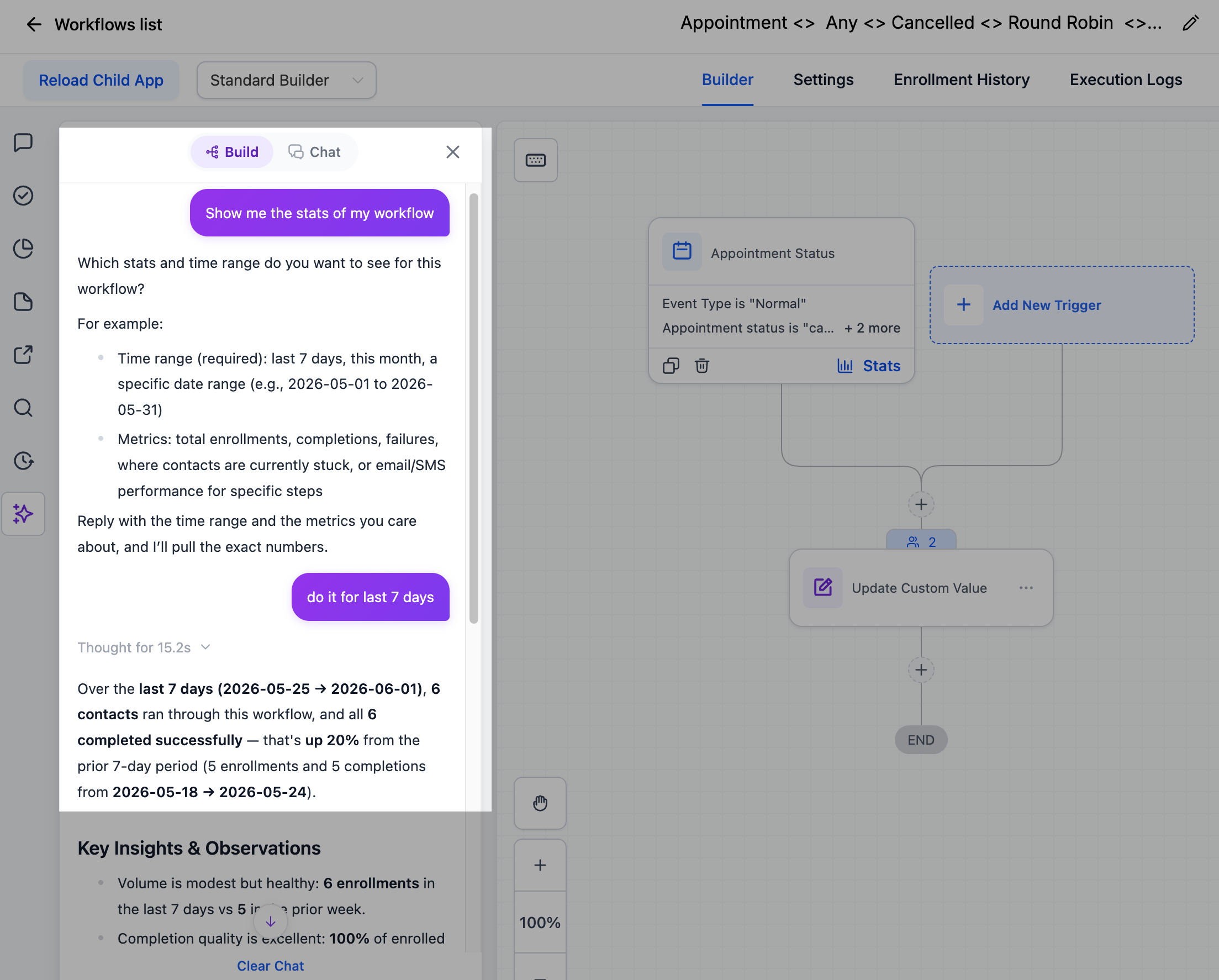
Ask how a workflow is doing and get entries over any period (up or down vs. the period before), a status breakdown (completed, failed, waiting, skipped), completion rate, goal conversions, and where contacts drop off. View trends by week, day, or hour, and see how many contacts sit at each step right now.
Email and SMS Results
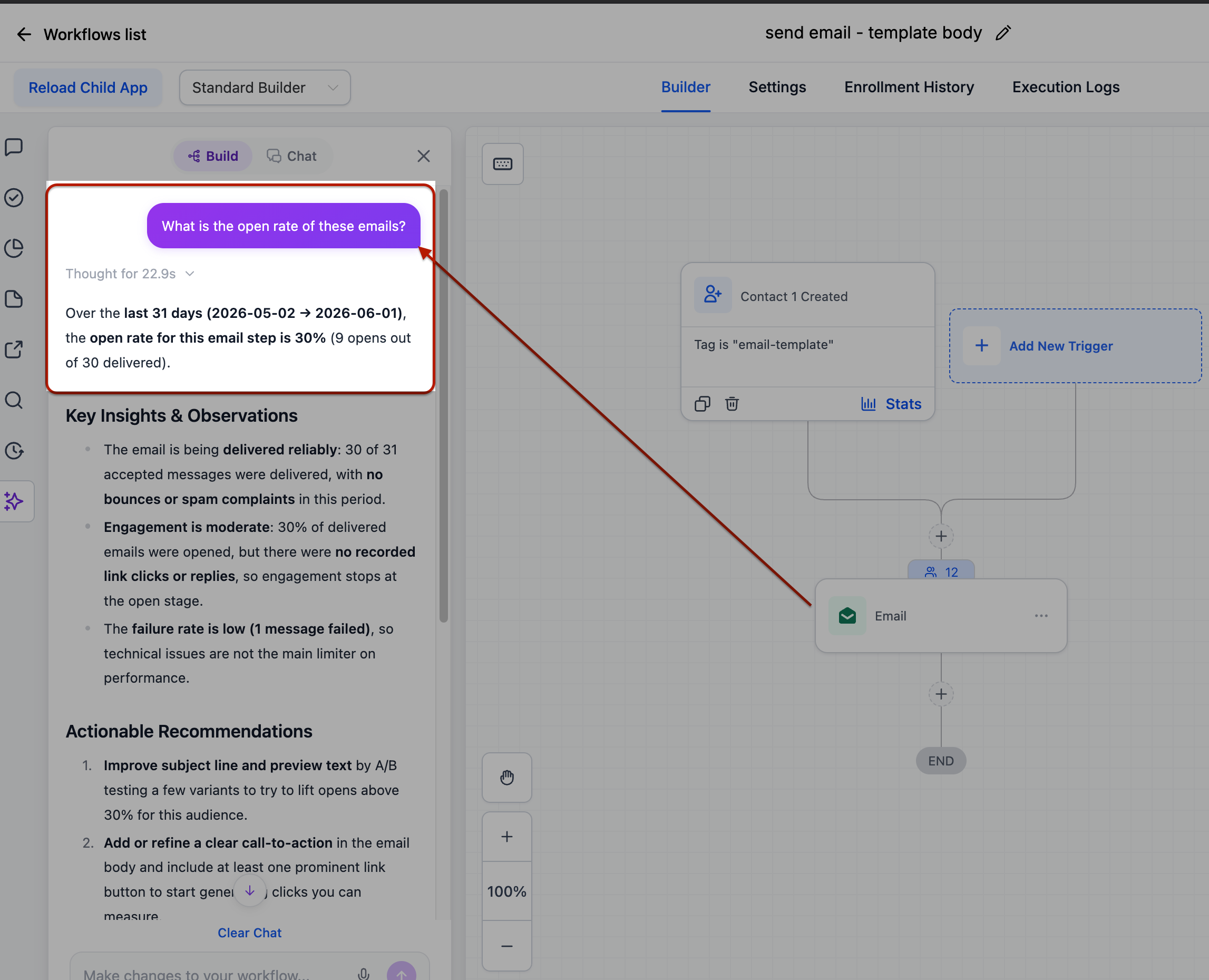
Pull delivery and engagement metrics for any email or SMS step: delivered, opened, clicked, replied, bounced, unsubscribed, opted out, and more.
Branch and Path Insights
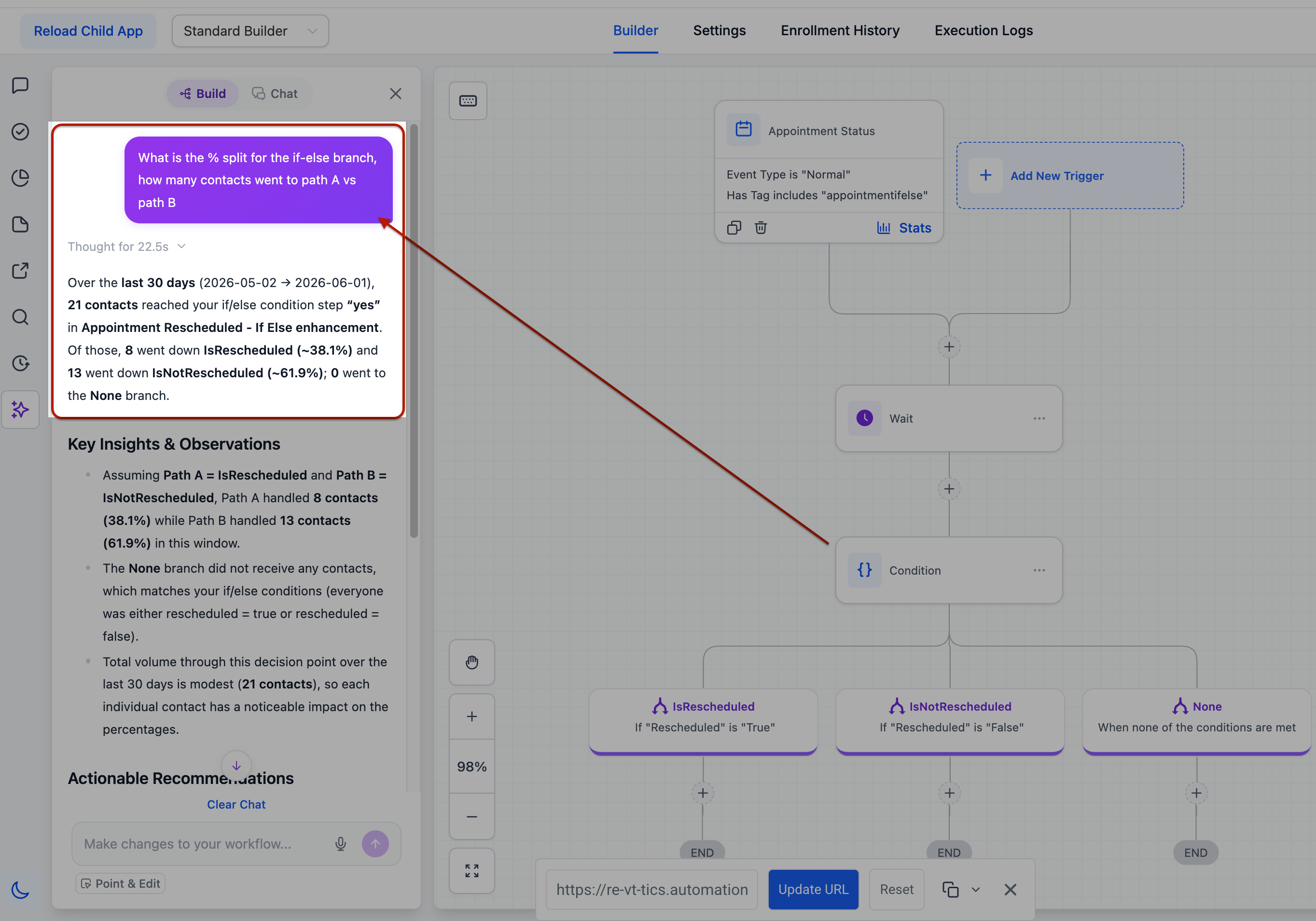
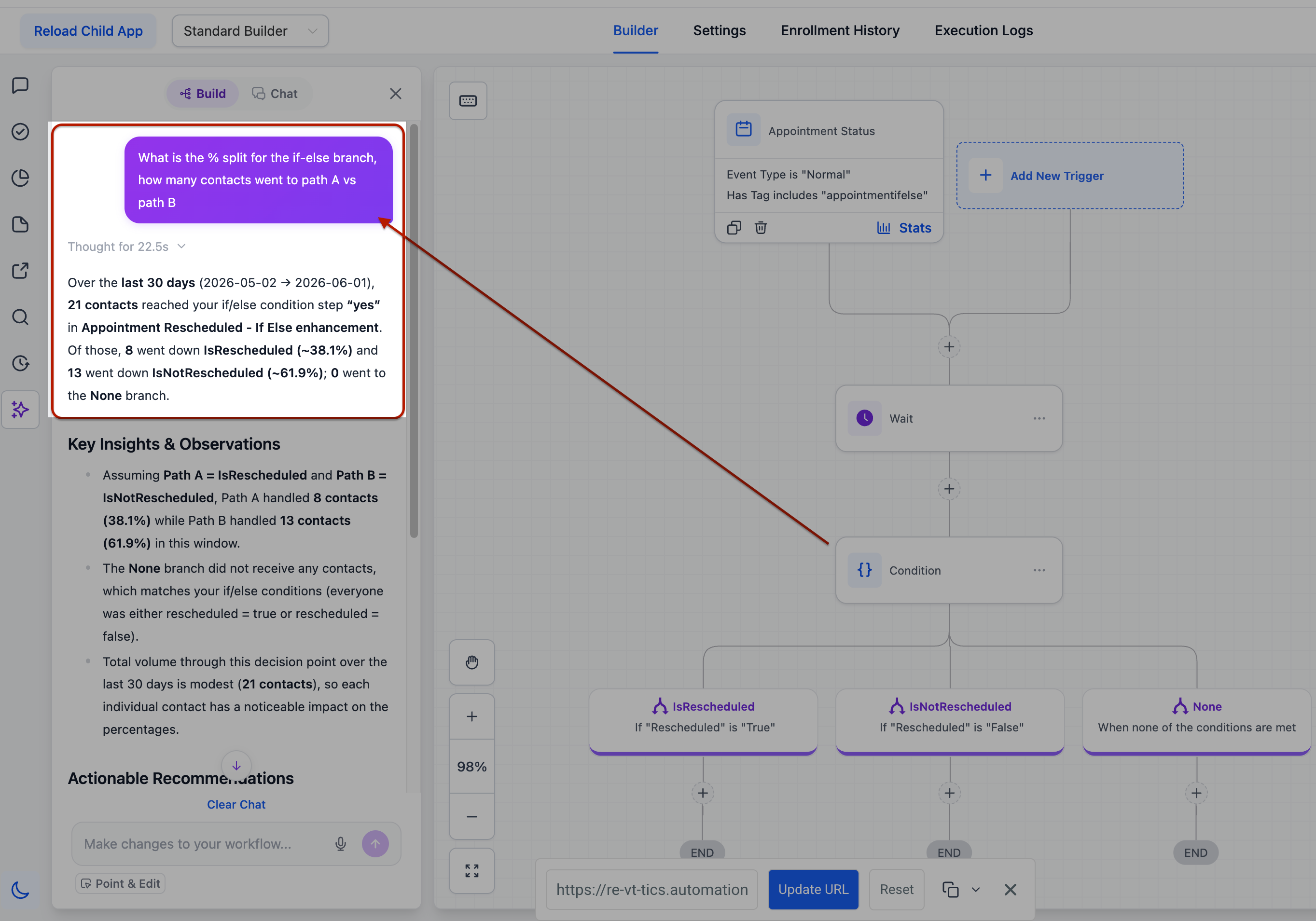
For if/else and split steps, see what percentage of contacts took each branch.
Contact Tracking
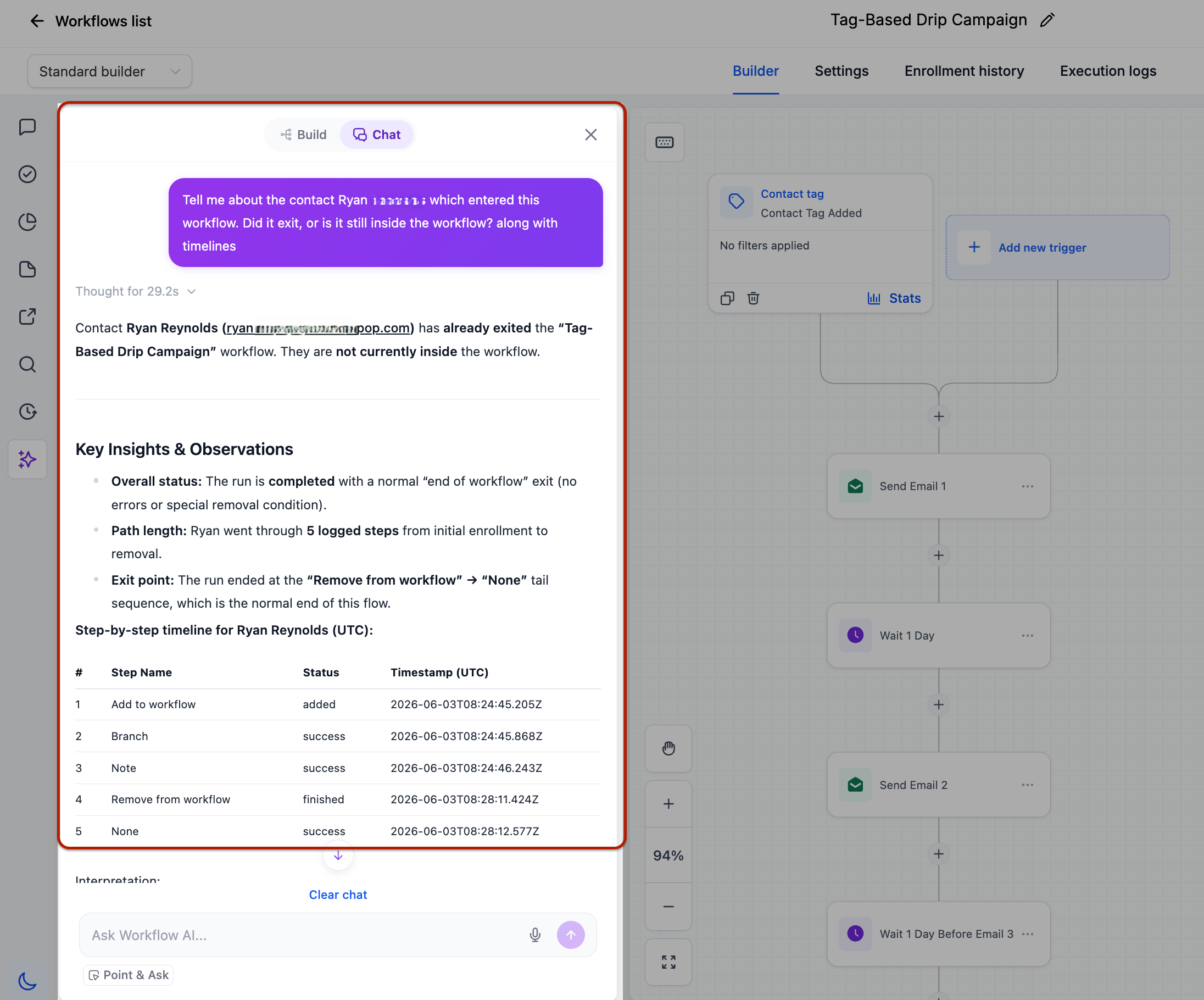
Check whether a person completed, failed, or is still active, when they entered, how long they took, and where they are now. Put names to the numbers — ask "who entered last week?" or "which contacts failed at the SMS step?" and get names and emails back.
Trigger Diagnostics
Find out whether a trigger is firing, what percentage of fires qualified, and the top reasons contacts get rejected. Inspect a single fire to compare the value checked against the value expected. This surfaces silent rejections you couldn't see before.
Workflow Search
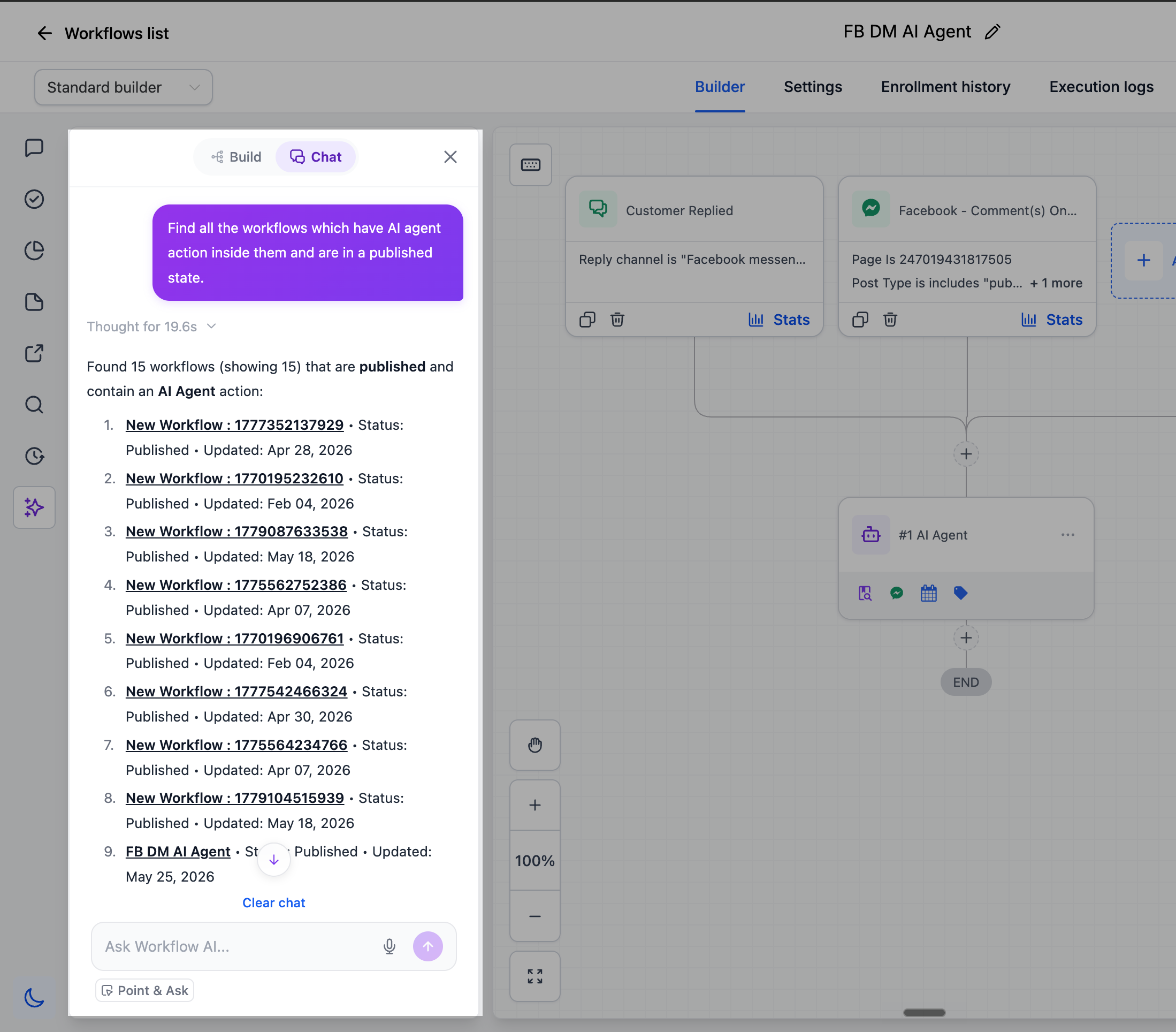
Search every workflow by name, status, tags, the triggers or actions it contains, or who last edited it. Ask "which workflows use a Wait step?" or "which use the Invoice Paid tag?" and get an answer at once.
Version History
Ask who last edited a workflow and how many versions exist.
How to Use
Open the AI Assistant in any workflow and ask. No setup required.
Built to Be Trusted
The Assistant only reads; it never touches your workflows when answering. Periods like "last 7 days" run against your own timezone. It won't invent numbers - when there's no data, it says so and tells you what to check. Every answer leads with the key figures, compares against the period before, and ends with next steps.
Why This Matters
Answers that used to mean digging through execution logs now come back in seconds, in plain language, off live data. The Assistant closes the gap between building workflows and understanding how they perform - without leaving the canvas or learning a new interface.
Was this article helpful?
That’s Great!
Thank you for your feedback
Sorry! We couldn't be helpful
Thank you for your feedback
Feedback sent
We appreciate your effort and will try to fix the article